


Transcript#
This transcript was generated automatically and may contain errors.
Hi, I'm Hannah, and I'm here to talk to you about expectations on your data. Because as data scientists, we are often not the ones collecting it, we're just given access to it, and then we build something with it. Maybe a dashboard, maybe a prediction model. And sometimes, sometimes things change. And if a column gets renamed, things wreck. And if a variable gets recorded in a different unit, things might now be silently garbage. Wouldn't it be nicer to just get a heads up, an email that says these things are changing, rather than the dashboard is broken.
You may want to get that email from a colleague, but if that's not possible, you can also run regular validation checks and have a system email you. And that's what pointblank is for. It's feature rich, it's got loads of documentation, and my goal here is just to give you a sense of what's possible and how to get started.
And that's what pointblank is for. It's feature rich, it's got loads of documentation, and my goal here is just to give you a sense of what's possible and how to get started.
What pointblank gives you
The main thing you get from pointblank is a beautiful HTML table like this. You can stick it in a report, or you can have it emailed to you. And roughly one row is one validation role. The specifications are to the left, and the results are to the right. So, if you're validating the contents of a particular column, that's the rows, those are the units. It will tell you how many and how many passed and how many failed. And life is messy, and your data might be too. But in both cases, you can typically tolerate some amount of that.
So pointblank lets you specify thresholds for when you want to warn, stop, or be notified. And if you specify that, at minimum, it drives the colors to the left of that table. But really, it can do a lot more, because it can trigger any action that you can express in R code. And lastly, that column to the right is for when things go wrong. You can get access to a CSV with the units or rows that failed that condition.
Core code pattern
And the core code pattern of the package is something you might have seen elsewhere, for example, in header recipes. It is simply create the core object, add specifications to it, and then apply those specifications to the data. That data can be local in your session, or remote in a database. And there's a lot of pre-made validation functions for you. So you can stick together your validation plan as it is necessary for your data set.
Specifying thresholds and actions
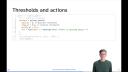
But I promised you some action based on these thresholds. So how to specify them? Well, there's an action argument. It takes the result of an action levels function, which lets you specify these three thresholds. It can be an absolute threshold, a relative threshold, and the set of functions you want executed at a particular threshold. So here, we just warn when we hit the warning threshold. Not particularly exciting, but you get the idea.
You can specify that in sort of the overall object and then it applies to all of the validation rules you might add. Or if you want to fine tune out and have a different threshold for a particularly important validation rule, you can specify there, too. It takes the same actions argument. And you can have an action or just sort of arbitrary R code carried out at the end of the validation in the ends functions argument. You could, for example, add your email notification there.
And because if it emails you every single time a validation runs and everything's okay, that might be a little spammy. The default is to only send that email when you hit the notify threshold. But that's just a feature of that email function, not that that applies to all of the code you would execute in this little block.
So sometimes the table is beautiful, but not enough, and you want to be able to program against it. So pointblank lets you do that, too, with a set of functions that let you access the results of the validation. And the place to find more info is this. Thank you.
